Repo: dhcgn/jxleet
Problem
JPEG XL is the newest image compression algorithm with major size savings, but cjxl on the command line gets tedious at scale. I wanted encoding to be easier and transparent — and a tool I can use directly with Lightroom to get the best experience out of the format.
Tech Overview
| Aspect | Choice |
|---|---|
| Stack | Go + Wails v3 |
| Platform | Windows 10/11, 64-bit |
| Encoder | cjxl / djxl / jxlinfo from libjxl, managed by the app |
| Config | YAML presets, passed through verbatim to cjxl |
| License | MIT, built on libjxl (BSD-3-Clause) |
jxleet encodes nothing itself — every .jxl byte is written by cjxl. It is a frontend for batching, presets, toolchain updates, and Lightroom integration.
Solution
The key distinction is the route a file takes:
- 🟢 Transcode (JPEG → JXL, lossless repack, byte-for-byte reversible via
djxl) - 🟠 Reencode (JPEG/JXL decoded and encoded again, not reversible)
- 🔵 Encode (PNG, GIF, EXR, NetPBM, PFM, PGX → JXL, lossless at distance 0)
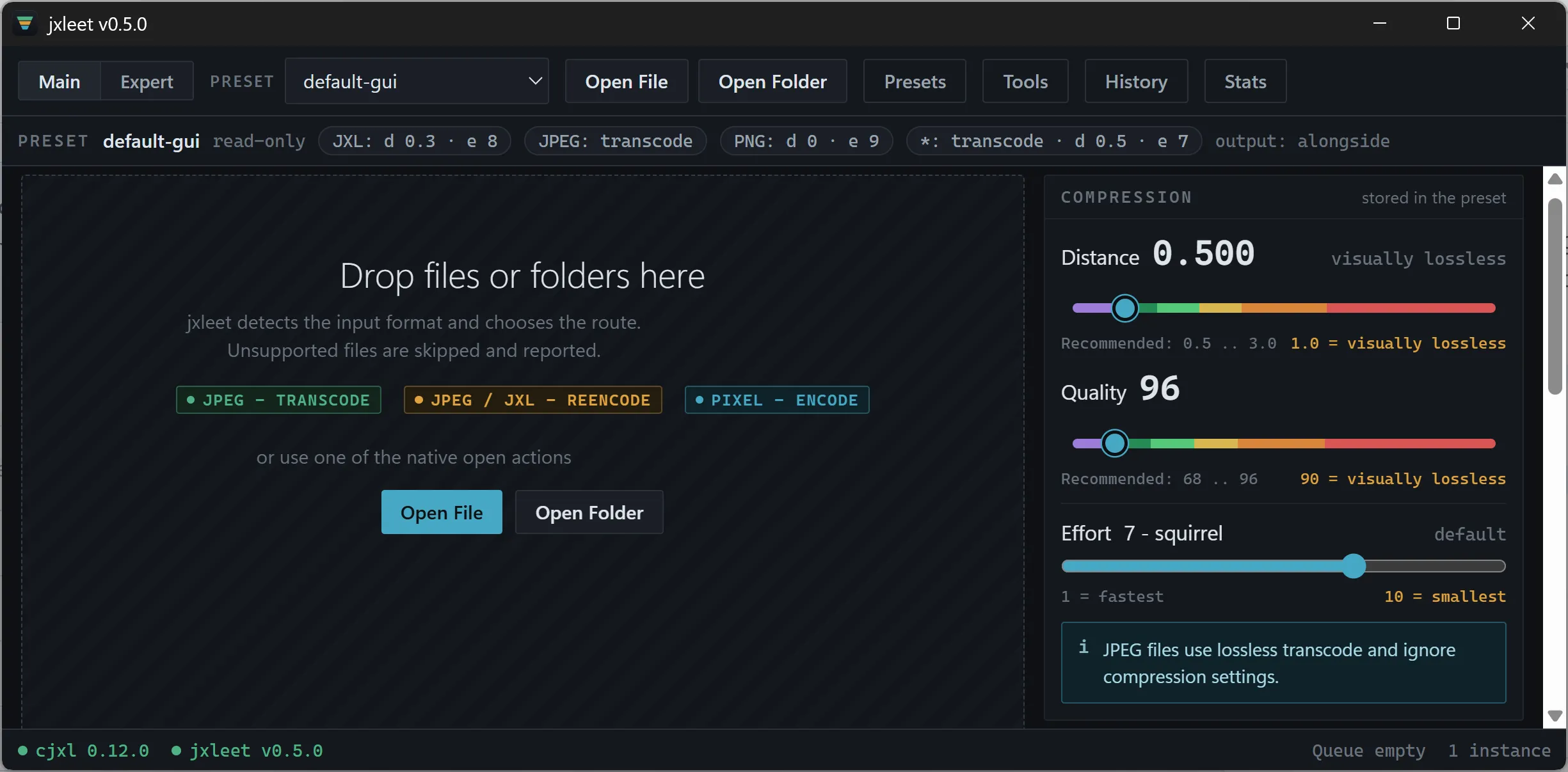
Three entry points share one preset system: a GUI window with Main/Expert/Queue/History views, a CLI (jxleet.exe --preset web-d15-e7 C:\photos\), and a per-user Explorer context menu. Presets are plain YAML files with match rules and verbatim cjxl args. replace policy writes to a temp file, decodes to prove readability, then moves the original to the recycle bin — never a hard delete.
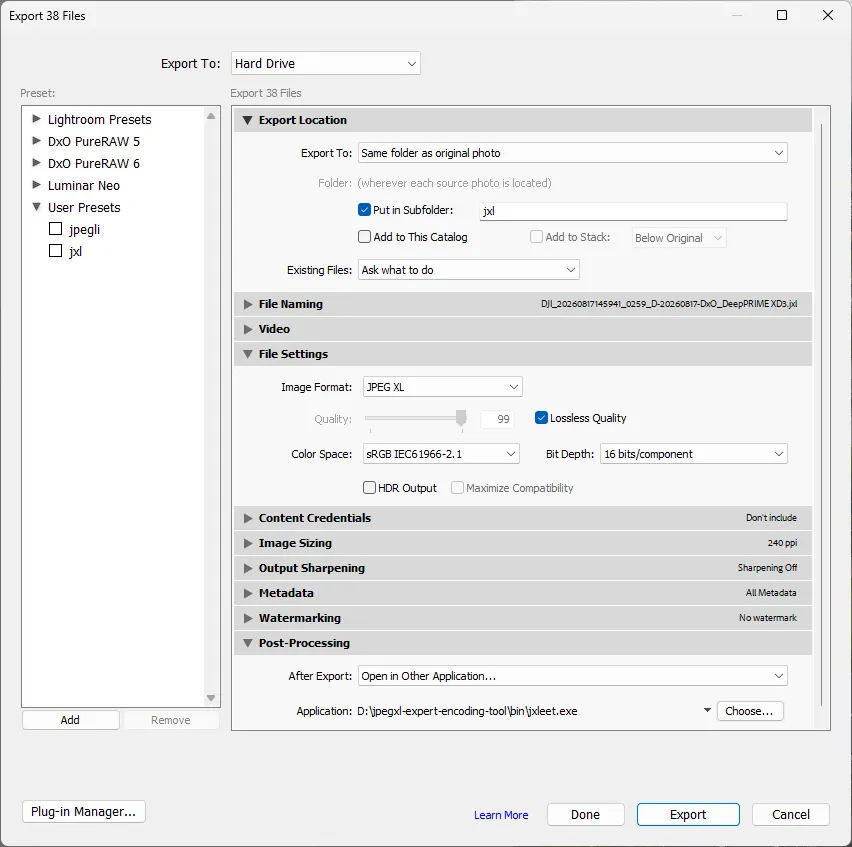
My personal workflow: Lightroom Export → Open in Other Application → jxleet.exe, with the CLI preset bound under Presets → Command line. Parallel Lightroom launches are coalesced into one window via named pipe.
Outlook
jxleet is beta: interface, presets, and config format may change. History (history.jsonl), managed toolchain updates, and jxlinfo sidecars already work; check the repo releases for the current state.